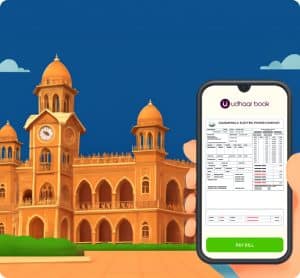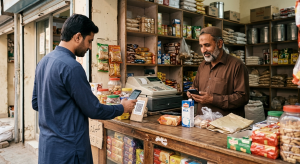
Checking electricity bills online has become a necessity in Pakistan as more people prefer fast, convenient, and secure methods to manage their utility payments. With the rise of online bill payment services, users can now verify their electricity bills, pay them electronically, and even earn rewards using trusted platforms like Udhaar Book.
This guide explains how to check electricity bill online in Pakistan, covering every major utility company, step-by-step instructions, and tips to maximize convenience and earnings.
Step-by-Step to Check Electricity Bill with Udhaar Book
Udhaar Book is Pakistan’s leading app for utility bill online management. Here’s how to check electricity bills and earn rewards:
- Download Udhaar Book from Google Play Store or App Store
- Register with your phone number
- Navigate to “Utility Bills”
- Select “Electricity” and choose your provider (MEPCO, FESCO, etc.)
- Enter consumer number, CNIC, or meter number
- Click “Check Bill”
- Pay online using a secure payment method
- Earn commission instantly with each successful e bill pay
This method ensures secure, quick, and rewarding online payment services.
Why Check Electricity Bill Online
Pakistan has embraced digital solutions for utility management. Users no longer need to stand in long queues or rely on cash transactions to pay their bills. With electronic payment services and online payment services, anyone can check electricity bill online from the comfort of their home.
Some benefits of checking electricity bills online include:
- Instant access to bill amounts
- Ability to verify bill paid or unpaid status
- Secure payment method using apps or websites
- Access to previous bills and consumption history
Using apps like Udhaar Book, users can check their utility bill online, not just for electricity but also for gas, water, and more, all in one place.
Electricity Bill Online Checking Essentials
To perform an electricity bill online check, you typically need basic details such as your consumer number, CNIC, or meter number. Most online platforms now support multiple electronic bill verification methods to accommodate different user preferences.
Key points for a smooth check:
- Keep your bill number or meter number handy
- Ensure a stable internet connection
- Use trusted apps or websites like Udhaar Book for secure online payment services
With Udhaar Book, users can check electricity bill online in seconds and make payments directly, eliminating the need for multiple transactions at various counters.
Alternative Ways to Check Electric Bill Online
Performing a check electric bill online is easy. Simply log into your preferred platform, input your consumer number or meter number, and retrieve the latest bill. For utility companies like MEPCO or FESCO, this process is fully supported on online payment services platforms.
Key steps include:
- Open Udhaar Book app
- Select the “Electricity Bill” option
- Enter your consumer number or CNIC
- Click “Check Bill”
- View the bill amount and details
Bijli Ka Bill Online Check
For many Pakistanis, the term bijli ka bill online check is widely used. This term reflects a common search query for checking electricity bills digitally. Users can quickly access their electronic bill using official portals or apps like Udhaar Book, which simplifies the utility bill payment online process.
Bijli Bill Check
Another commonly searched term is bijli bill check, where users want to confirm their electricity dues. The modern approach involves:
- Using secure online payment services
- Checking detailed consumption data
- Receiving instant e-receipts after payment
Benefits of Online Bill Platforms
Online bill platforms are revolutionizing utility management. Whether you are paying electricity, gas, or water bills, trusted services like Udhaar Book allow users to:
- Manage multiple utility bills in one app
- Save time and avoid queues
- Earn rewards or commissions with every e bill pay
Make Your Life Easy With Online Payment
Digital online payment methods are now mainstream in Pakistan. They include:
- Mobile banking apps
- Payment wallets integrated with apps like Udhaar Book
- Direct utility company portals
Using these methods ensures secure transactions and instant confirmation.
What are Electronic Bills?
An electronic bill or e bill eliminates the need for paper-based billing. Benefits include:
- Eco-friendly solution
- Easy archiving and retrieval
- Quick electronic payment services integration
Udhaar Book provides a seamless interface to view electronic bills and pay them instantly.
What is the E Bill Pay Feature?
The e bill pay feature is one of the most popular options in Pakistan. Through Udhaar Book, users can:
- Pay electricity, gas, and water bills electronically
- Track payments
- Earn instant commissions per transaction
This makes utility bill online management efficient and rewarding.
Check Electric Bill Online: FESCO
FESCO users can check FESCO electric bill online through the same reliable process. Steps via Udhaar Book:
- Open the app
- Choose FESCO from utility options
- Input consumer number or meter number
- View bill and proceed to online payment
How to Pay Utility Bill Online
The trend of managing utility bill online is increasing in Pakistan. Apps like Udhaar Book are leading this transformation, providing:
- Single dashboard for multiple utilities
- Secure electronic payment services
- Monthly billing reminders
Best Payment Methods
Reliable payment methods are essential for hassle-free electricity bill payments. Options include:
- Bank transfers
- Mobile wallets
- Debit/credit cards via Udhaar Book
Electronic Payment Services
Electronic payment services enable seamless financial transactions. Udhaar Book integrates these services for electricity, gas, water, and other utilities, ensuring:
- Transaction security
- Immediate confirmation
- Commission-based earning opportunities
Best Online Payment Services
Online payment services in Pakistan have evolved, offering convenience and security. With apps like Udhaar Book, users can pay all utility bills online in a few clicks.
Utility Bill Payment Online in Pakistan
Performing utility bill payment online is efficient and transparent. Udhaar Book provides step-by-step guidance and rewards users with commissions for every payment, making it not just convenient but also profitable.
Benefits of Checking Electricity Bills Online
- Convenience: Access bills anytime, anywhere
- Transparency: View accurate consumption data
- Savings: Avoid late fees and optimize electricity usage
- Rewards: Earn with every online payment via Udhaar Book
Frequently Asked Questions (FAQs)
Q1: How to check electricity bill in Pakistan by CNIC?
Use Udhaar Book, select electricity provider, enter CNIC, and view the bill online.
Q2: How to check electricity bill paid or not?
Log in to Udhaar Book, input consumer number, and check payment status. Electronic receipts are provided instantly.
Q3: How to check electricity bill with meter number?
Enter your meter number in Udhaar Book under the electricity provider section to view the current bill and consumption.
Q4: Can I pay multiple utility bills online at once?
Yes, Udhaar Book allows multiple utility bill online payments in a single transaction.
Q5: Is it safe to pay electricity bills online?
Yes, using apps like Udhaar Book ensures secure electronic payment services with verified payment gateways.
Conclusion
In today’s digital age, knowing how to check electricity bill online in Pakistan is crucial for convenience, transparency, and security. Platforms like Udhaar Book make it effortless to check electric bills online, pay multiple utilities, and even earn rewards with every payment.
By embracing online payment services and electronic bill management, users can save time, avoid penalties, and manage their household finances more effectively. Download Udhaar Book App today to avail all bill payment services for free.