Checking electricity bills online has become the new normal, especially for GEPCO users living in Gujranwala, Sialkot, Hafizabad, Narowal, Mandi Bahauddin, and surrounding regions. Many people search how to check GEPCO bill because they want a simpler, faster, and more reliable method to access their GEPCO online bill, view their GEPCO MIS bill, and track monthly usage without waiting for printed copies.
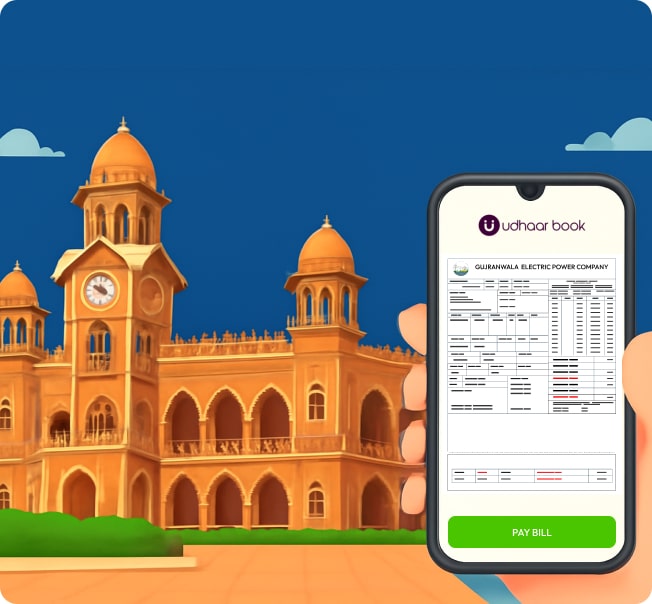
Before moving into all the methods for how to check GEPCO bill online, it’s important to highlight that many users today prefer paying their electric bill GEPCO through apps — and the most convenient solution is the Udhaar Book app. It not only allows GEPCO users to check and pay bills instantly, but also enables them to earn money on every bill payment through Udhaar.pk’s cashback rewards. Udhaar Book is also the best app to pay FESCO bills, LESCO bills, MEPCO bills, and other utility bills across Pakistan.
Below is an early walkthrough of how GEPCO users can pay their electricity bill through Udhaar Book before exploring the bill-check methods.
How to Check GEPCO Bill Online Using Udhaar Book (and Earn Rewards)
While the main purpose here is to understand how to check GEPCO bill online, many users prefer checking their GEPCO electricity bill through an app instead of manually entering details every month. Udhaar Book makes the checking process extremely simple, and it also allows users to earn rewards whenever they later decide to pay the bill through the app.
Steps to Check GEPCO Electricity Bill on Udhaar Book
- Download Udhaar Book app on your mobile phone.
- Tap on Bill Payments from the home screen.
- Select Electricity.
- Choose GEPCO from the list of electricity companies.
- Enter your 14-digit GEPCO reference number.
- Tap Fetch Bill to instantly view your:
- GEPCO bill amount
- Due date
- Units consumed
- Meter reading
- Late payment surcharge
- GEPCO GST
- Current GEPCO bill status (paid or unpaid)
- You can also save the bill ID for quick GEPCO bill checking every month — no need to re-enter your reference number.
This makes Udhaar Book one of the easiest ways to perform GEPCO bill online check, especially if you want a reliable monthly bill lookup without visiting multiple websites.
Pay and Earn
Once your GEPCO online bill appears, Udhaar Book gives you the option to pay it instantly — and earn cashback or rewards on every payment. Since your other blog will cover payment intent, we won’t go into the full process here, but a small mention fits naturally:
• You can pay GEPCO, FESCO, MEPCO, LESCO, and other utility bills through Udhaar Book.
• Every payment lets users earn through Udhaar.pk’s reward system.
• The app also stores your billing history and paid/unpaid status for easy tracking.
This keeps the checking guide complete without overlapping with the upcoming payment-focused blog.
What Is GEPCO and Why You Should Check Your Bill Online?
GEPCO (Gujranwala Electric Power Company) supplies electricity across the Gujranwala region. With thousands of households and businesses under its network, checking bills manually often becomes inconvenient. Using GEPCO bill online check services saves time and helps avoid late-payment surcharges.
Users can check:
- GEPCO bill status
- GEPCO bill paid or not
- GEPCO peak time
- GEPCO GST
- GEPCO previous month bill
- GEPCO demand notice
And more, without visiting any office or waiting for the printed bill.
How to Check GEPCO Bill Online – All Methods Explained
Whether someone wants to check electricity bill GEPCO, view their e bill GEPCO, or verify previous dues, the process is simple. Here are all reliable options.
1. GEPCO Online Bill Check Via Reference Number
The most common method is entering the GEPCO reference number, available on any previous printed bill.
Steps:
- Visit the official GEPCO bill online check website.
- Enter the 14-digit reference number.
- Click on Submit.
- Your GEPCO view bill will appear with:
- Billing month
- Units consumed
- Previous balance
- GEPCO GST
- Meter reading
This method works for all users including GEPCO Gujranwala, Gujranwala GEPCO, and all surrounding districts.
2. Check GEPCO Bill Using CNIC Number
Many users search GEPCO bill check by CNIC when they don’t have their reference number.
Currently, GEPCO does not directly support CNIC-based bill lookup, but users can:
- Visit the nearest GEPCO Customer Service Center
- Use third-party apps like Udhaar Book, where saved bill IDs can be tracked
If GEPCO officially introduces CNIC-based lookup in the future, users will be able to perform:
- GEPCO bill online check with CNIC
- Electricity bill online check GEPCO without reference number
3. Check GEPCO Electric Bill Online Through Udhaar Book
This method is popular because Udhaar Book saves bill details, allowing easy monthly checks.
Steps:
- Open Udhaar Book
- Go to Bill Payments → Electricity
- Select GEPCO
- Enter or select saved reference number
- View GEPCO electricity bill instantly
- Pay or save for later
This method also shows whether the bill is paid or not.
4. Check GEPCO Bill Through the GEPCO App
GEPCO also offers a mobile application where users can:
- Check GEPCO online bill
- View previous billing history
- File GEPCO complaints
- Check GEPCO load shedding schedule
- Track GEPCO ENC (Electricity Network Connection) details
However, most users still prefer Udhaar Book because it includes payments + cashback rewards.
5. Check GEPCO Bill Status and Paid/Unpaid Details
Users often search check GEPCO bill status or GEPCO bill paid or not.
You can verify:
- Payment status
- Payment date
- Bill confirmation
- Overdue charges
These details are available on both GEPCO’s official website and Udhaar Book.
Additional Useful GEPCO Services You Should Know
GEPCO provides multiple services for public convenience.
GEPCO Complaint System (Online)
Users can file GEPCO online complaint for:
- Power outage
- Wrong readings
- Overbilling
- Transformer issues
- GEPCO ENC complaints
- GEPCO meter replacement
The GEPCO complaint portal also allows users to track complaint status.
GEPCO Helpline Number
For support, users can contact the GEPCO helpline number:
- 118 (Customer Support)
- Regional complaint numbers on the GEPCO website
GEPCO Load Shedding Schedule
GEPCO publishes updated schedules for:
- Load shedding timings
- GEPCO peak time
- Mainenance shutdown alerts
Users can check schedules online or via the GEPCO app.
GEPCO Demand Notice Check
Users building properties often search how to check GEPCO demand notice.
This can be checked through:
- GEPCO official site
- Nearest GEPCO office
- Licensed electrical contractors
FAQs About How to Check GEPCO Bill Online
Below are the most asked questions by users searching how to check GEPCO bill.
How to check GEPCO bill is paid or not?
You can check payment status by:
- Entering your reference number on GEPCO’s online portal
- Checking payment history in the Udhaar Book app
How to check GEPCO bill with CNIC number?
Direct CNIC-based lookup isn’t available yet, but users can visit a GEPCO office or use apps that store bill details.
How to check GEPCO bill without reference number?
You may:
- Use a saved reference number in Udhaar Book
- Contact GEPCO customer support
- Visit a local office
How to check GEPCO bill status?
Enter your reference number on GEPCO’s online bill page or check through Udhaar Book.
How to check GEPCO meter reading?
Your latest meter reading appears on your monthly GEPCO e-bill.
You can also view graphical usage through the GEPCO app.
How to check GEPCO previous month bill?
Use the “Billing History” option on GEPCO’s official website or the Udhaar Book “Bill History” section.
How to check GEPCO demand notice?
Visit the GEPCO website → New connection → Demand notice status.
How to check GEPCO bill with meter number?
GEPCO currently requires the reference number, but meter number can be used at GEPCO offices to retrieve your details manually.
Final Thoughts
For anyone searching how to check GEPCO bill, the easiest approach is checking it online through either GEPCO’s portal or the Udhaar Book app. From GEPCO online bill check, verifying GEPCO bill status, checking GEPCO previous bills, or paying the amount instantly, digital tools have made life incredibly convenient for GEPCO users. And with Udhaar Book allowing users to earn cashback on every GEPCO bill payment, it has become the smartest way to handle monthly utility expenses.
Ready to make bill payments easier?
Download the Udhaar Book app today and start earning with every GEPCO bill you pay!