Checking electricity bills has become much easier over the past few years, especially for Karachi residents who want to know how to check KE bill online without waiting for paper bills or visiting customer care offices.
K-Electric (KE), previously known as KESC, now provides multiple online methods to view, download, and pay bills instantly. With growing digital adoption, users also prefer mobile apps like Udhaar Book, which not only lets them check KE bills but also helps them earn rewards and commissions on every bill payment.
This guide explains all the reliable methods for checking KE bills, downloading duplicate bills, verifying payment status, and using Udhaar Book’s easy bill-checking system. It also covers KE’s helpline, complaint numbers, bill history checking, and other commonly searched questions.
Check your KE Bill Instantly (Fastest Method)
Search Your KE Bill with Udhaar Book
Best Way to Check K-Electric Bill Online: Udhaar Book
While KE offers its own methods, most users prefer an app that is easier, faster, and gives additional benefits. That’s where Udhaar Book stands out.
Udhaar Book is Pakistan’s trusted business and utility payment app that allows users to check all kinds of electricity bills, including K-Electric bills. Users can not only check and pay KE bills but also earn real commission on every electricity bill, gas bill, water bill, and online bill payment.
For people looking for bijli ke bill check karne ka tarika, Udhaar Book is the best option because it is simple, fast, and reliable.
How to Check KE Bill Using Udhaar Book (Step-by-Step)
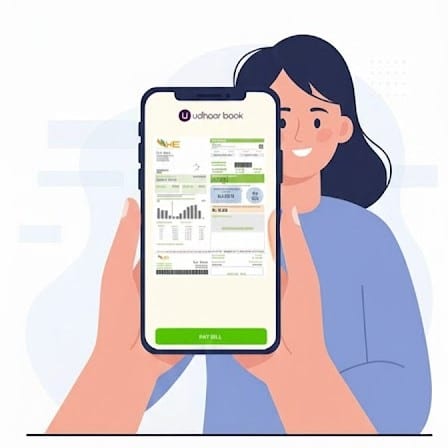
Here is the easiest way to check KE electricity bill online using Udhaar Book:
- Download and install the Udhaar Book app from the Play Store.
- Open the app and go to the “Bills” section.
- Select “Electricity Bill”.
- Choose “K-Electric (KE)” from the list.
- Enter your KE consumer number or account number.
- Tap “Check Bill”.
- Your KE bill details will appear instantly with due date, payable amount, and bill history (if available).
This method is helpful for anyone searching for k electric bill check online or ke electric bill check services.
How Users Can Earn With Every KE Bill Payment on Udhaar Book
Udhaar Book is not just for checking KE bills; it also helps users earn risk-free commission. Every time someone pays a KE bill through your Udhaar Book account, you instantly earn a commission amount. Many small shop owners, bill collection agents, and even individuals use Udhaar Book as a side income source because:
- There is zero investment.
- Payments are safe and verified.
- You get guaranteed commission per bill.
- You can pay all utility bills in one place.
- You get digital receipts after each online bill payment.
This makes Udhaar Book a great earning tool for people who want to benefit from bill payment services.
Understanding K-Electric
K-Electric (often written as KE, k electric, or kelectric) is the power distributor for Karachi and nearby areas. Millions of consumers rely on KE for monthly electricity supply, and naturally, KE bill check services and online KE bill systems have become extremely important. With the KE digital platform, customers can now complete ke bill online check tasks in seconds and get duplicate bills anytime.
Why Checking KE Bill Online Matters
Karachi residents often face delays in receiving printed bills. Sometimes bills get misplaced or arrive late due to weather, courier issues, or address mismatches. Therefore, online ke bill check services offer:
- Instant access to duplicate bills
- Quick payment verification
- No waiting for paper bills
- Secure, digital record-keeping
- Convenient bill download and print option
People also frequently search terms like “ke bill check online”, “online ke bill check”, “electricity bill online check”, and “bijli ka bill check karne ke liye app”, which shows how important digital billing has become in everyday life.
Other Ways to Check KE Bill Online
Checking KE Bill Through the KE Website
The official KE website provides a reliable way to check electricity bills online. Here’s how:
- Visit the KE website
- Open the “Billing Services” or “Duplicate Bill” section.
- Enter your 13-digit account number.
- Click “View Bill”.
- You can then download or print the ke online bill.
This method is commonly searched as ke bill online check, k electric online bill, and ke electric bill check.
Checking KE Bill Through KE WhatsApp Service
KE also offers a WhatsApp-based system where customers can check their electricity bill.
Save the KE WhatsApp number from the official website.
- Send a message like “Bill”.
- Enter your KE account number.
- Receive your bill instantly.
Many users search for terms like “k electric bill check” and “ke online bill” to find this method.
Checking KE Bill Through SMS
- Although not as commonly used today, KE’s SMS service allows quick bill checking:
Send your KE account number to the official KE SMS code. - Receive a text message with your current bill amount and due date.
Checking KE Bill Using KE Mobile App
- The KE mobile app offers several features:
- Duplicate bill download
- Payment status checking
- Bill history
- Power breakdown updates
- Complaint registration
It is also useful for people searching for ke bill history and ke bill check online.
How to Check KE Old Bills or Bill History
People often search questions like:
- how to check ke old bill
- how to check ke 2 year old bill
- how to check ke bill history
KE’s website allows viewing previous bills for a few months. But for long-term records (1–2 years), users must rely on:
- Saved PDF bills
- Old emails
- KE customer support
Udhaar Book provides a simple advantage here: users can keep digital receipts of every paid bill, making it easier to maintain a long-term history of electricity bill records.
How to Check KE Bill Is Paid or Not
To verify if your KE bill payment has been credited:
- Check payment status on the KE app or KE website.
- Verify bill payment receipts through your bank’s app.
- Check Udhaar Book’s “Payment History” section if paid through Udhaar Book.
- Contact KE customer support if the payment isn’t updated within 24 hours.
Many users search for electricity bill check or ke bill check to verify payments online.
KE Helpline and Complaint Numbers
Sometimes users want to register power complaints, load shedding issues, or billing problems. Here are the commonly searched helpline details:
- K-Electric Helpline: Dial 118.
- K Electric Complaint Number Karachi: Call 021-99000.
- KE WhatsApp Support: Available on the official KE website.
- KESC Helpline / KESC Complaint Numbers: Redirected to KE since KESC is now KE.
These helplines assist with:
- Meter issues
- Duplicate bill issues
- Payment disputes
- Wrong charges
- Billing complaints
Search terms like k electric helpline, ke complaint number, kesc helpline, and ke helpline number karachi are common among customers who want fast support.
Understanding KE Unit Price and Taxes
Another commonly searched topic is k electric unit price. KE unit tariffs depend on:
- Government adjustments
- Fuel price variations
- Consumer type (residential, commercial, industrial)
- Time-of-use meters (peak vs. off-peak)
Understanding the unit price helps consumers estimate their monthly electricity bill accurately.
Common Problems People Face During KE Bill Checking
Entering Wrong Account Number
Most errors occur when users enter an incorrect KE account number. Double-checking the digits helps resolve this issue.
Server Issues on KE Website
During peak hours or billing days, the KE website may load slowly. In such cases, Udhaar Book provides a much smoother and faster bill-checking experience.
Printed Bill Missing
Many residents search for ke bill online check because their physical bill never arrived. Duplicate KE bills online solve this problem instantly.
Who Should Use Udhaar Book for KE Bill Checking?
- Residents who frequently lose printed bills
- Shopkeepers offering bill payment services
- Delivery riders and freelancers seeking extra income
- People in rented homes who want proper tracking
- Anyone who wants a simple bijli ka bill check karne ke liye app
Udhaar Book works for all these use cases and offers more convenience than KE’s own systems.
Final Thoughts
Many people wonder how to check KE bill online, and thankfully, there are several fast and reliable ways today. From the KE website to WhatsApp and SMS, checking your KE bill is now extremely convenient.
However, Udhaar Book remains the most user-friendly option because it not only lets users check KE electricity bills instantly but also helps them earn commission on every bill payment.
Download Udhaar Book today for check all types of electricity bills, including K-Eelectric bill.